
Introduction
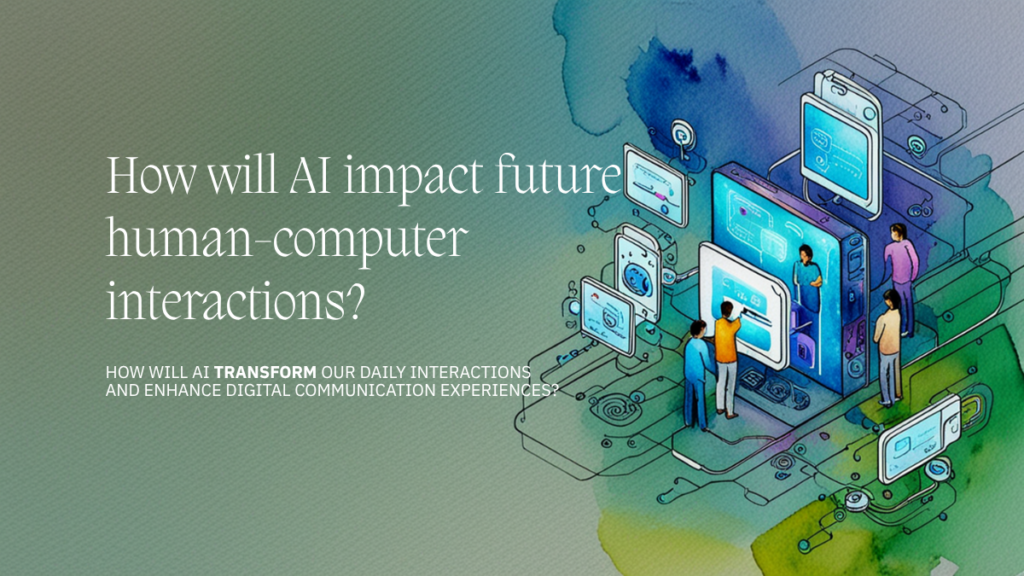
How Will AI Shape Future Human-Computer Interactions?
Artificial intelligence (AI) is redefining how humans interact with machines. From voice assistants like Siri and Alexa to adaptive chatbots in customer service, the nature of human-computer interaction (HCI) is evolving rapidly.
This blog explores the question: How will AI shape future human-computer interactions?
You’ll learn about current trends, emerging technologies, real-world applications, and how businesses and individuals can prepare for the next wave of intelligent interfaces.
How Will AI Shape Future Human-Computer Interactions?
Bolded short answer:
AI will make human-computer interactions more natural, conversational, and intuitive by enabling machines to understand context, emotion, and intent.
Deeper Explanation
Traditional HCI models were based on commands, clicks, and code. Future interactions, powered by AI, are moving toward:
- Conversational interfaces
- Emotionally intelligent systems
- Multimodal communication
- Context-aware responses
- Proactive assistance
This transformation is not just about making machines smarter—it’s about making them better collaborators, companions, and tools for human creativity and productivity.
Core Concepts: What Is Human-Computer Interaction?
Human-Computer Interaction (HCI) is the field of study focused on how people interact with computers and design principles that enhance usability.
Key concepts include:
- User Interface (UI): The space where interaction occurs.
- User Experience (UX): The overall experience, including emotions and satisfaction.
- Natural Language Processing (NLP): AI’s ability to understand human language.
- Machine Learning (ML): Algorithms that improve with experience.
The AI Technologies Transforming Human-Computer Interactions
1. Natural Language Processing (NLP)
What it is:
NLP allows machines to read, understand, and generate human language.
Example Applications:
- ChatGPT and other AI assistants
- Smart customer support bots
- Multilingual real-time translators
Impact:
NLP makes conversations with machines feel more human, enabling fluid communication without technical commands.
2. Voice Interfaces and Speech Recognition
What it is:
Voice recognition allows users to speak naturally to devices.
Real-World Use:
- Voice assistants like Alexa, Google Assistant
- Hands-free controls in vehicles and smart homes
- Accessibility features for users with disabilities
Impact:
Voice interfaces reduce friction in user interaction, making technology more accessible and convenient.
3. Computer Vision
What it is:
AI systems interpret visual inputs from cameras or sensors.
Use Cases:
- Facial recognition for device unlocking
- Gesture-based controls in AR/VR
- AI-powered surveillance
Impact:
Visual input adds a rich layer of interaction that complements or replaces traditional inputs like a mouse or keyboard.
4. Emotion AI (Affective Computing)
What it is:
AI that can detect and respond to human emotions via facial expressions, voice tone, and behavioral cues.
Examples:
- Sentiment analysis in customer support
- Emotional detection in education or therapy apps
Impact:
Emotion-aware systems can tailor responses and experiences to individual moods and needs, creating more personalized interactions.
5. Predictive and Context-Aware Systems
What it is:
AI that uses user behavior, preferences, and context to predict needs and actions.
Examples:
- Google Now or Siri showing traffic updates before your commute
- Smart email suggestions like Gmail’s Smart Compose
Impact:
Reduces cognitive load and time by anticipating user needs and providing proactive assistance.
Examples of AI-Enhanced Human-Computer Interactions
Case Study: AI in Healthcare
Example:
AI-powered chatbots help patients schedule appointments, get medication reminders, and even screen symptoms.
Benefit:
Improves access and responsiveness without replacing doctors.
Case Study: AI in Customer Service
Example:
AI agents like Zendesk bots resolve basic queries while escalating complex issues to humans.
Benefit:
Reduces wait times and improves customer satisfaction.
Case Study: AI in Education
Example:
Adaptive learning platforms like Duolingo use AI to personalize lesson plans.
Benefit:
Enhances learning outcomes and engagement through individualized instruction.
Addressing Related Questions (FAQs)
What Is the Role of AI in User Interface Design?
Short answer:
AI personalizes and automates UI experiences.
Longer explanation:
By analyzing user behavior, AI can rearrange elements, change themes, or recommend shortcuts that suit individual workflows.
Will AI Replace Human Interactions?
Short answer:
No, AI will complement—not replace—human interactions.
Longer explanation:
AI can handle routine tasks, but human empathy, judgment, and creativity remain essential, especially in healthcare, education, and customer service.
What Are the Ethical Concerns in AI-Driven Interactions?
Short answer:
Bias, privacy, and transparency are major concerns.
Longer explanation:
AI must be trained responsibly to avoid discrimination. Transparent data usage policies are essential to protect user rights.
How Can Businesses Prepare for AI-Based Interfaces?
Short answer:
Invest in user training and ethical AI adoption.
Longer explanation:
Companies should educate teams on using AI tools, implement ethical guidelines, and start small with pilot programs.
Optional How-To Section: How to Integrate AI into User Interfaces
- Choose the right AI tool (e.g., NLP, computer vision)
- Collect and label user interaction data
- Train or fine-tune AI models
- Build AI logic into frontend elements (e.g., voice search, smart forms)
- Test with real users for feedback and usability
- Ensure accessibility and privacy compliance
Conclusion
AI is transforming human-computer interaction into something more natural, responsive, and even emotional. We’re moving from typing and clicking to talking, gesturing, and even sensing. This evolution creates opportunities for businesses, developers, educators, and users to engage with technology in more meaningful ways.
If you’re exploring how to build or apply AI practically, Granu AI offers real-world support and custom solutions.